Google Chrome extensions are an essential part of my daily workflow. From productivity to security, design to development — the right extensions can save hours and make life easier.
In this blog, I’m sharing my top favorite Chrome extensions with details like why I love them, key features, pros & cons, pricing, best use cases, and alternatives.
1. WOT: Website Security & Safety Checker
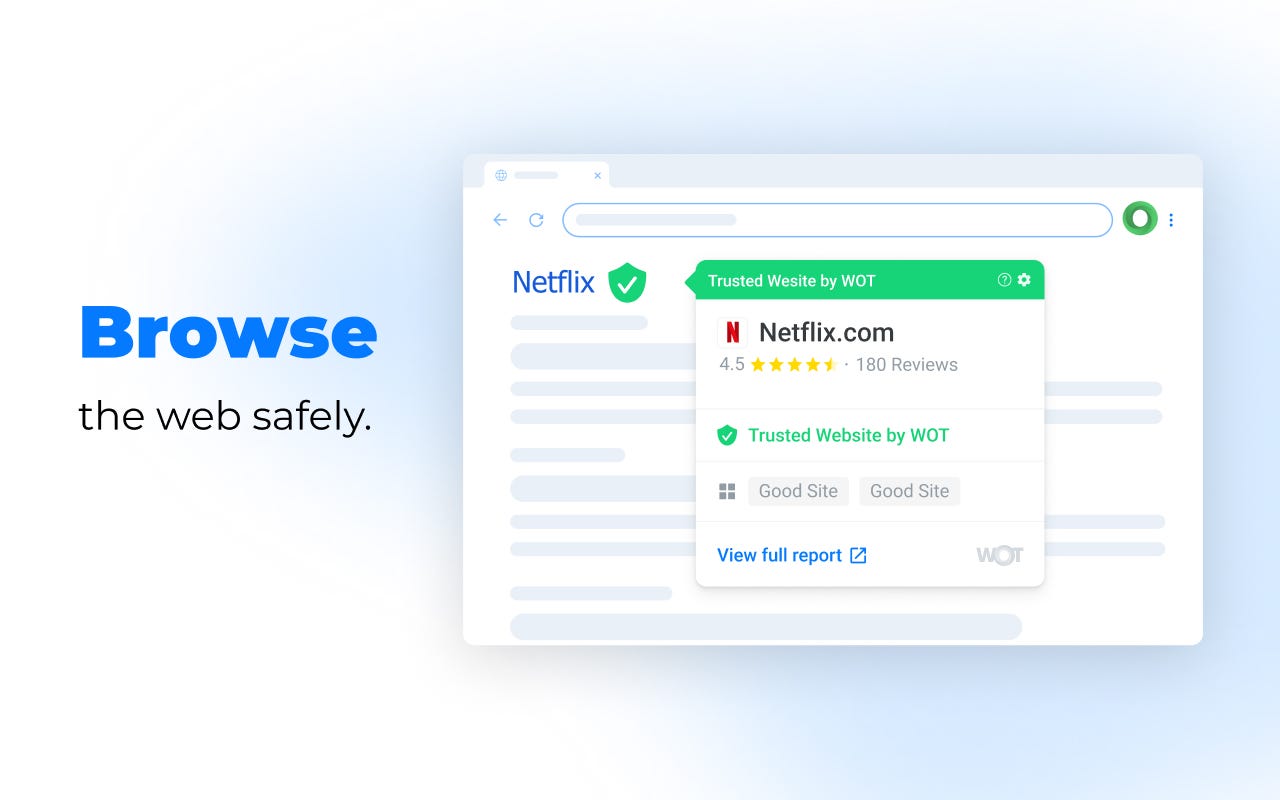
Why I love it: It acts like a digital bodyguard, warning me about sketchy sites before I even click.
- Key Feature: Real-time reputation ratings based on a global community.
- Key Advantages: Anti-phishing alerts and data breach monitoring. Great for online shopping & unknown sites
- Key Disadvantages: Community ratings can be biased,Reputation can lag behind for very new or niche sites.
- Paid or Free: Free (Pro version available).
- Current Pro Pricing: ~$4.99/mo (variable by region).
- Stats: 4.4/5 rating | 2M+ users | v5.9.1.
- Best for: Safety-conscious shoppers and general users. specially developers downloading libraries or tools.
- Platform: Extension (Chrome, Edge, Firefox), App (iOS, Android).
- Alternatives: Avast Online Security,Norton Safe Web, Bitdefender TrafficLight,Malwarebytes Browser Guard.
- link: Chrome Extension
2. Video Speed Controller
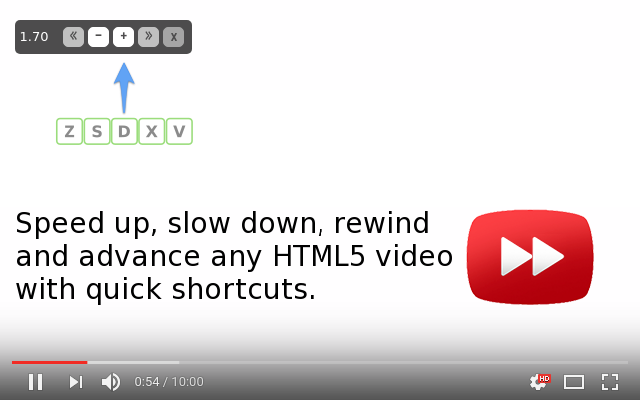
Why I love it: I can breeze through slow tutorials at 2.5x speed or slow down fast action scenes.
- Key Feature: Overlays speed controls (0.1x to 16x) on any HTML5 video.
- Key Advantages: Minimalist, zero lag, and uses easy keyboard shortcuts
- Key Disadvantages: Doesn’t work on non-HTML5 (Flash) players (rare in 2026). May not work on some protected players
- Paid or Free: Completely Free.
- Stats: 4.6/5 rating | 3M+ users | v0.7.3.
- Best for: Students watching lectures and Netflix bingers.
- Platform: Extension (Chrome, Firefox).
- Alternatives: Global Speed, Playback Speed, Enhancer for YouTube, built‑in speed options on YouTube and players.
- link: Chrome Extension
3. Turn Off the Lights
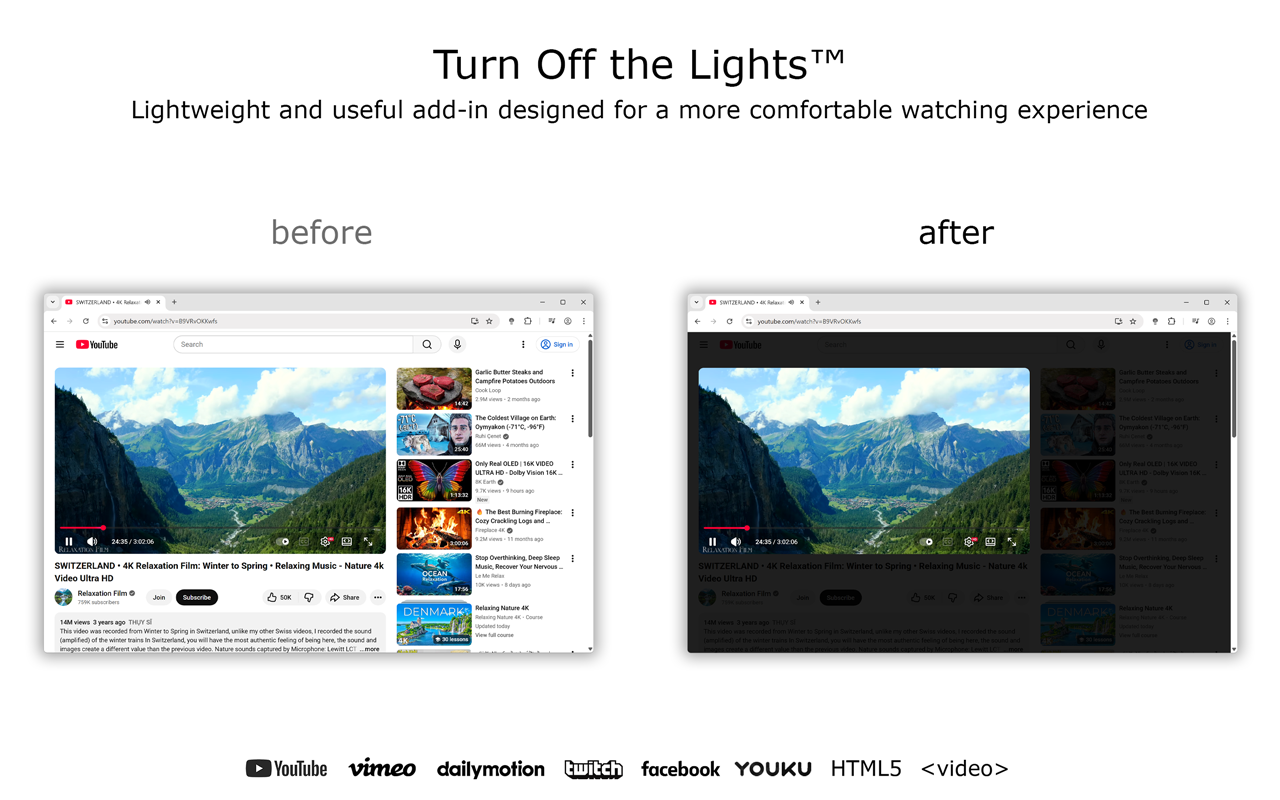
Why I love it: It creates a cinema-like atmosphere by dimming the entire page except for the video.
- Key Feature: One-click “Lamp” button to focus on video content.
- Key Advantages: Supports almost every video site (YouTube, Vimeo, etc.) and offers eye protection.
- Key Disadvantages: Can sometimes dim elements you want to see if not configured correctly.
- Paid or Free: Free (Open Source).
- Stats: 4.5/5 rating | 2M+ users | v4.6.3.
- Best for: Movie lovers and night-time browsers. YouTube, Netflix, video platforms
- Platform: Extension (All browsers), Mac, Windows, Linux apps.
- Alternatives: Dark Reader, Magic Actions for YouTube.
- link: Chrome Extension
4. Return YouTube Dislike

Why I love it: It brings back the “Dislike” count, helping me avoid clickbait and bad tutorials.
- Key Feature: Restores the dislike visibility using archived data and user input.
- Key Advantages: Saves time by identifying low-quality content instantly.
- Key Disadvantages: Not 100% accurate It’s an estimation (though very accurate) for newer videos.
- Paid or Free: Free.
- Stats: 4.5/5 rating | 6M+ users | v4.0.2.
- Best for: Active YouTube users and researchers.
- Platform: Extension (Chrome, Firefox, Edge).
- Alternatives: YouTube Enhancer.
- link: Chrome Extension
5. Responsive Viewer
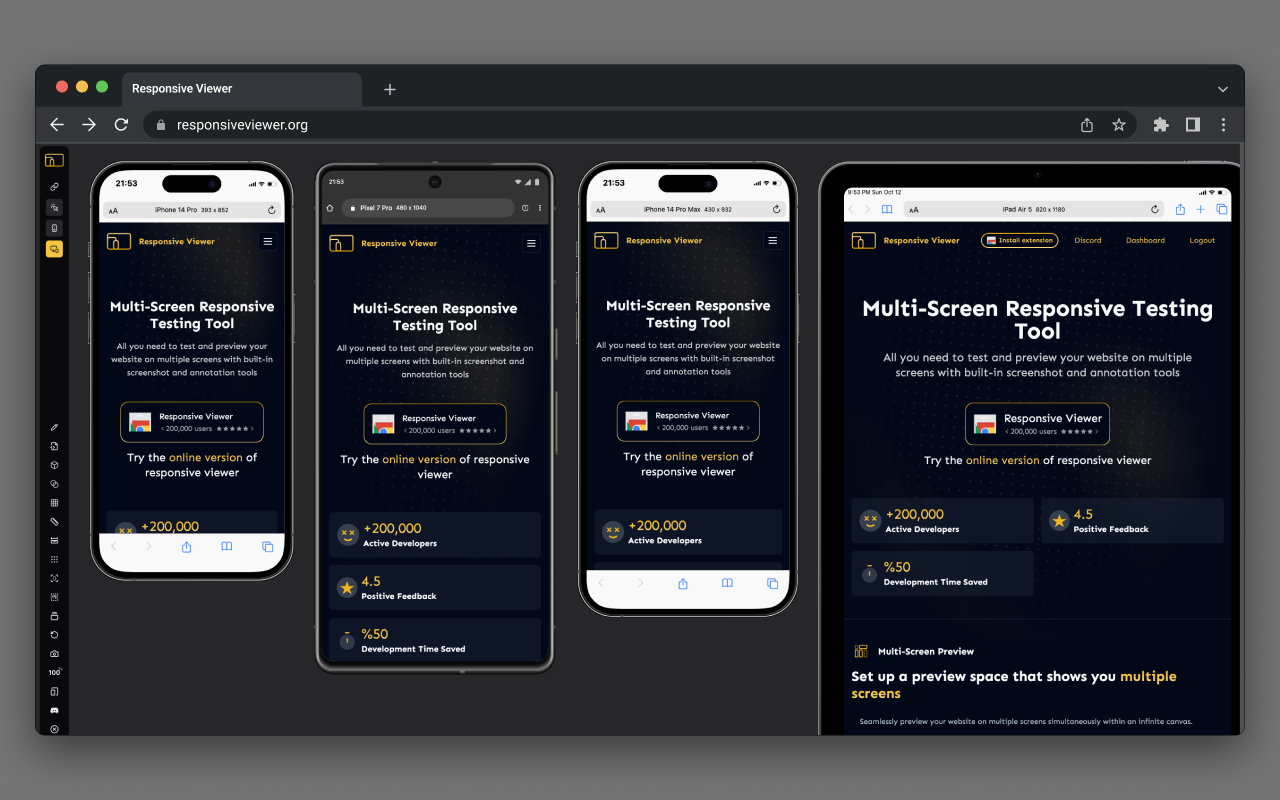
Why I love it: A lifesaver for web developers; I can see how a site looks on 10 devices at once.
- Key Feature: Displays multiple screen sizes in one side-by-side view. Custom breakpoints and device profiles.
- Key Advantages: Syncs scrolling across all screens for easy comparison.
- Key Disadvantages: Can be resource-heavy if opening too many large screens.
- Paid or Free: Free.
- Stats: 4.2/5 rating | 300K+ users | v1.1.21.
- Best for: Web designers and Front-end developers.
- Platform: Extension.
- Alternatives: Mobile Simulator, Responsinator, Native Chrome DevTools device mode, Responsively App, Sizzy, Window Resizer.
- link: Chrome Extension
6. QR Code (Generator and Reader)
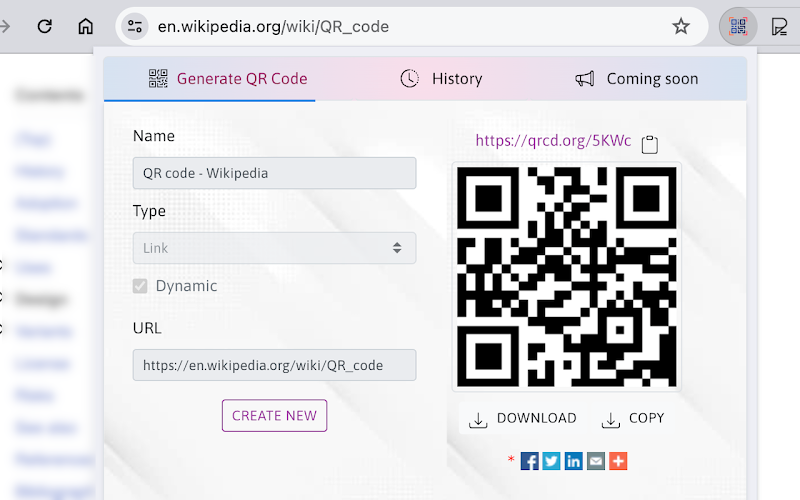
Why I love it: No more typing long URLs; I just scan and go or generate one for my phone in a second. Quickly generate or scan QR codes without any extra app.
- Key Feature: Two-in-one generator and scanner that works offline. One‑click QR generation.
- Key Advantages: No special permissions required; high privacy. Great for moving links between desktop and phone.Useful for sharing staging URLs with testers.
- Key Disadvantages: Basic customization for the free QR designs.
- Paid or Free: Free.
- Stats: 4.2/5 rating | 600K+ users | v2.1.5.
- Best for: Developers testing on real devices and quick link sharing.
- Platform: Extension.
- Alternatives: The QR Code Extension,QR Code Generator by Google, qrcode-monkey.com, mobile QR apps.
- link: Chrome Extension
7. PocketTube: Youtube Subscription Manager
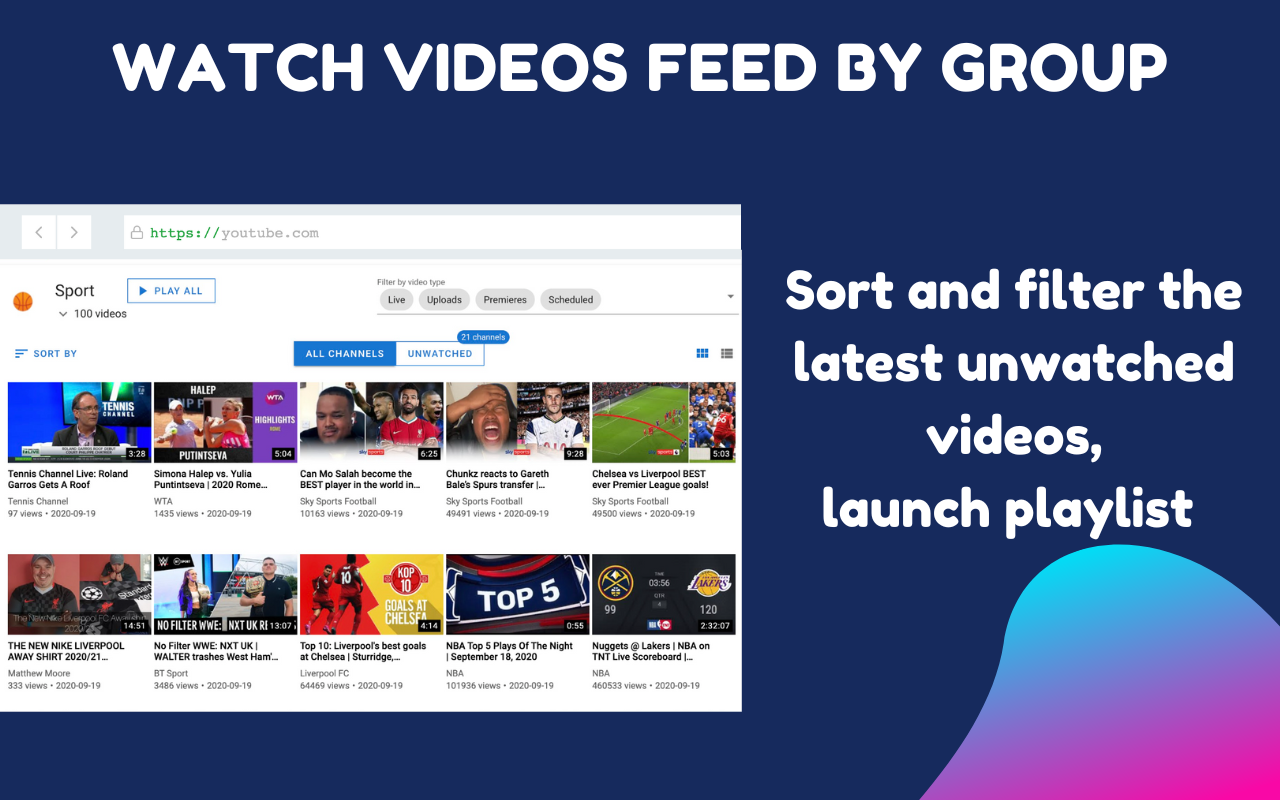
Why I love it: My YouTube sub feed was a mess until I grouped them into “Tech,” “Music,” and “News.”
- Key Feature: Grouping subscriptions into custom collections. Create groups and sub‑groups for channels by topic
- Key Advantages: Integrates directly into the YouTube sidebar.
- Key Disadvantages: The UI can feel a bit cluttered for minimalist users.
- Paid or Free: Free (Patreon for extra features).
- Current Pro Pricing: $3/mo (Patreon).
- Stats: 4.6/5 rating | 300K+ users | v18.0.6.
- Best for: Power users with 100+ subscriptions.
- Platform: Extension, iOS, Android.
- Alternatives: YouTube Subscription Groups.
- link: Chrome Extension
8. Lightshot (Screenshot tool)
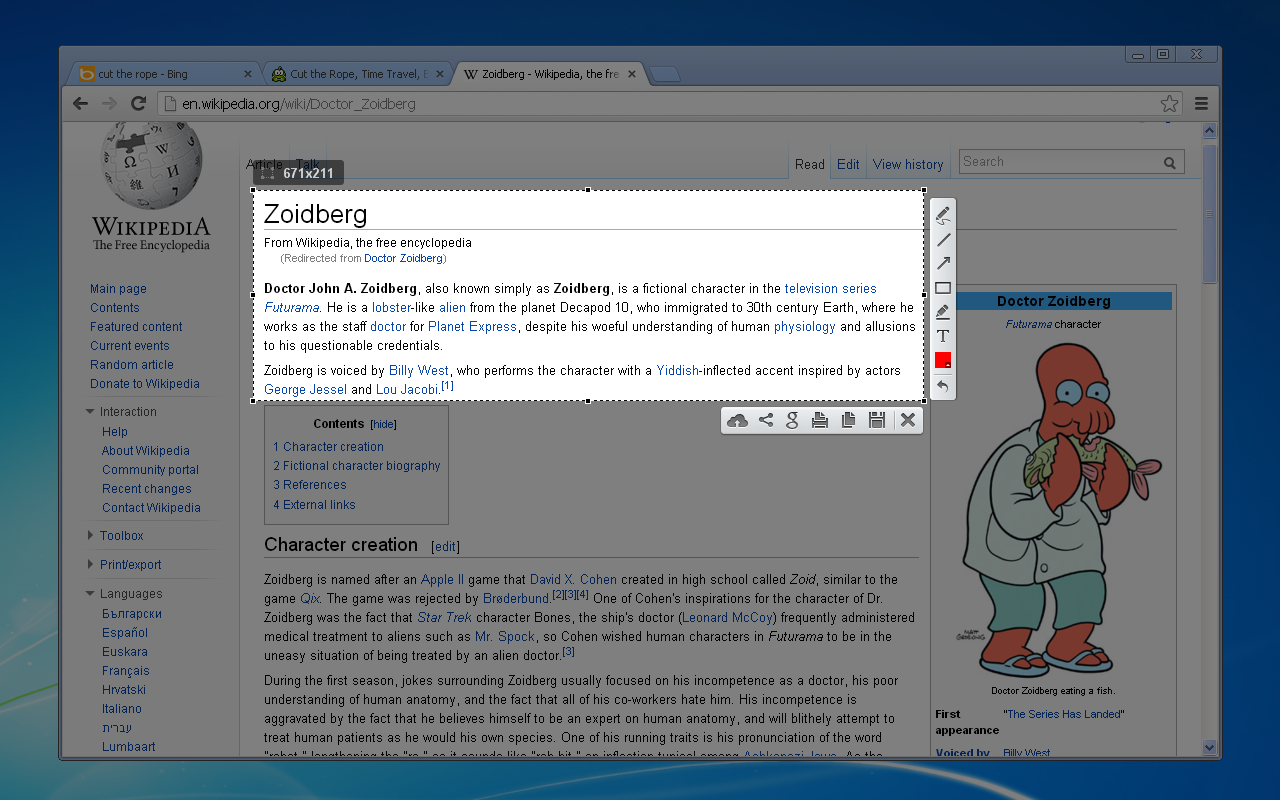
Why I love it: It’s the fastest way to take, edit, and share a specific area of my screen.
- Key Feature: Select any part of the page and edit in-place (arrows, text, etc.).
- Key Advantages: Instant cloud upload and “search for similar images” feature.
- Key Disadvantages: No video recording capability.
- Paid or Free: Free.
- Stats: 4.4/5 rating | 2M+ users | v7.0.1.
- Best for: Students and remote workers.
- Platform: Extension, Mac, Windows.
- Alternatives: Fireshot, Greenshot, Awesome Screenshot, Nimbus Capture, native OS screenshot tools, Snagit.
- link: Chrome Extension
9. JSON Viewer Pro
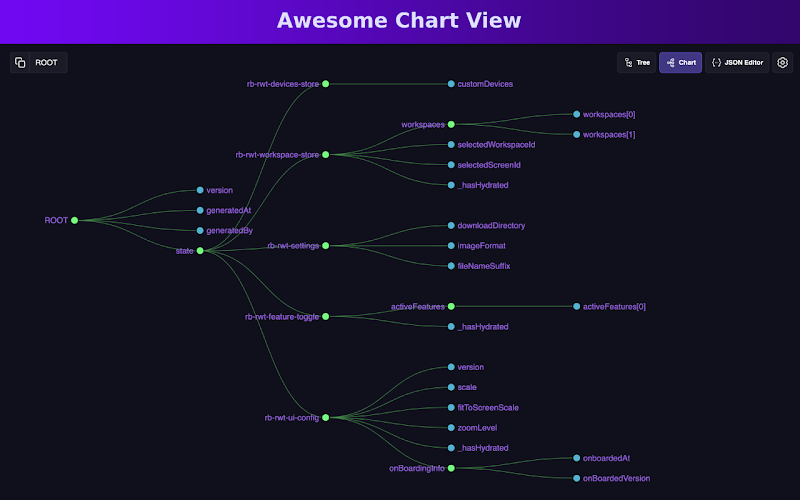
Why I love it: It turns ugly, raw API code into a beautiful, readable tree structure.
- Key Feature: Beautifies JSON responses with syntax highlighting and charts.
- Key Advantages: Features breadcrumb navigation and deep searching.
- Key Disadvantages: Primarily useful only for developers/technical users.
- Paid or Free: Free.
- Stats: 4.7/5 rating | 100K+ users | v1.0.6.
- Best for: API developers and data analysts.
- Platform: Extension.
- Alternatives: JSON Formatter, JSONView, Postman, Insomnia, built‑in DevTools “Preview” tab.
- link: Chrome Extension
10. Image Downloader — Imageye
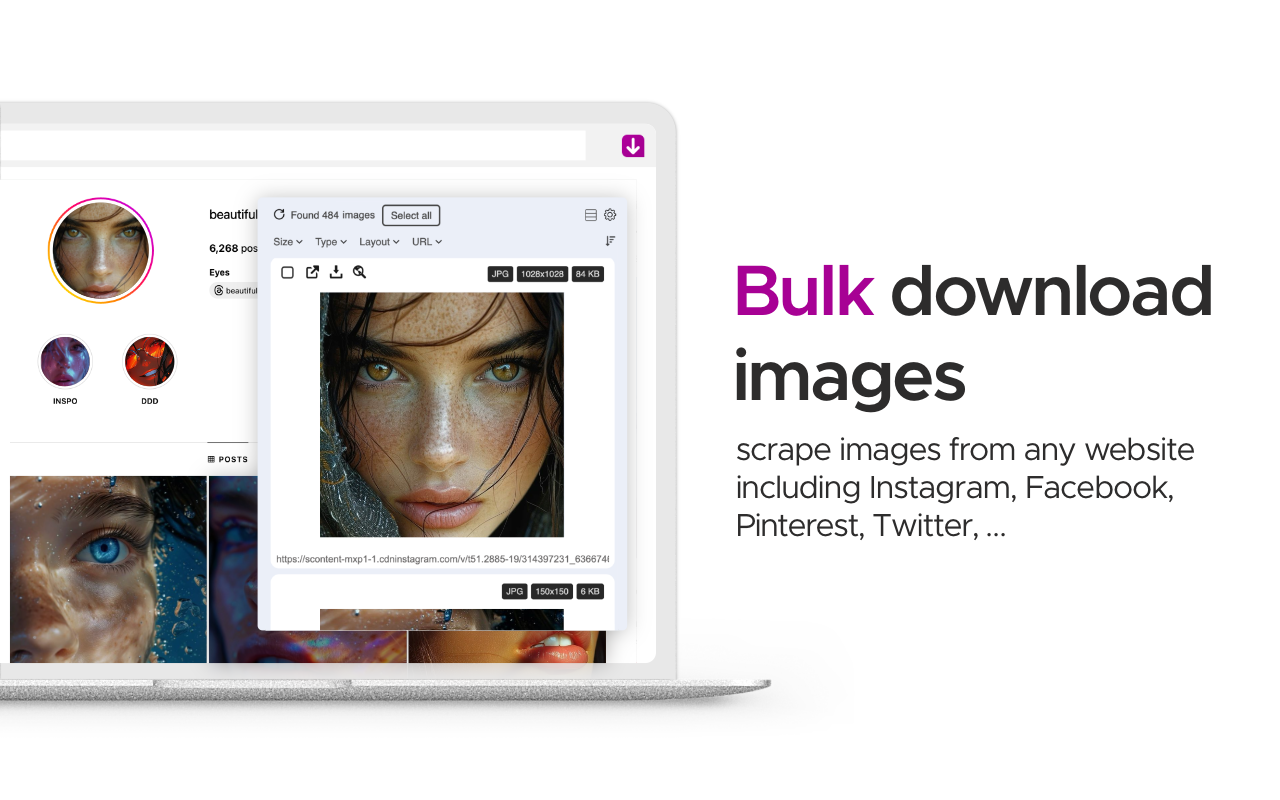
Why I love it: One click to find and download every image on a page, even hidden ones.
- Key Feature: One‑click selection and batch download with size and format filters.
- Key Advantages: Can convert WebP to JPG and perform reverse image searches.
- Key Disadvantages: Ad-supported (unobtrusive but present). Some sites block it
- Paid or Free: Free.
- Stats: 4.9/5 rating | 1M+ users | v5.18.5.
- Best for: Designers and content creators.
- Platform: Extension.
- Alternatives: Image Downloader, Fatkun Batch Download Image, Fatkun, DownThemAll
- link: Chrome Extension
11. Google Translate
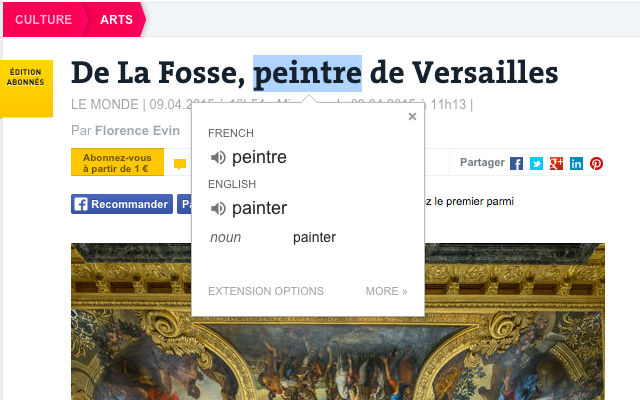
Why I love it: It eliminates language barriers instantly by translating highlighted text .
- Key Feature: One-click page translation.
- Key Advantages: Built by Google, massive language support, and very fast.
- Key Disadvantages: Contextual translations can sometimes be slightly off.
- Paid or Free: Free.
- Stats: 4.4/5 rating | 10M+ users.
- Best for: International students and travelers.
- Platform: Extension, Web, iOS, Android.
- Alternatives: DeepL, Grammarly (for writing), Microsoft Translator.
- link: Chrome Extension
12. ColorZilla
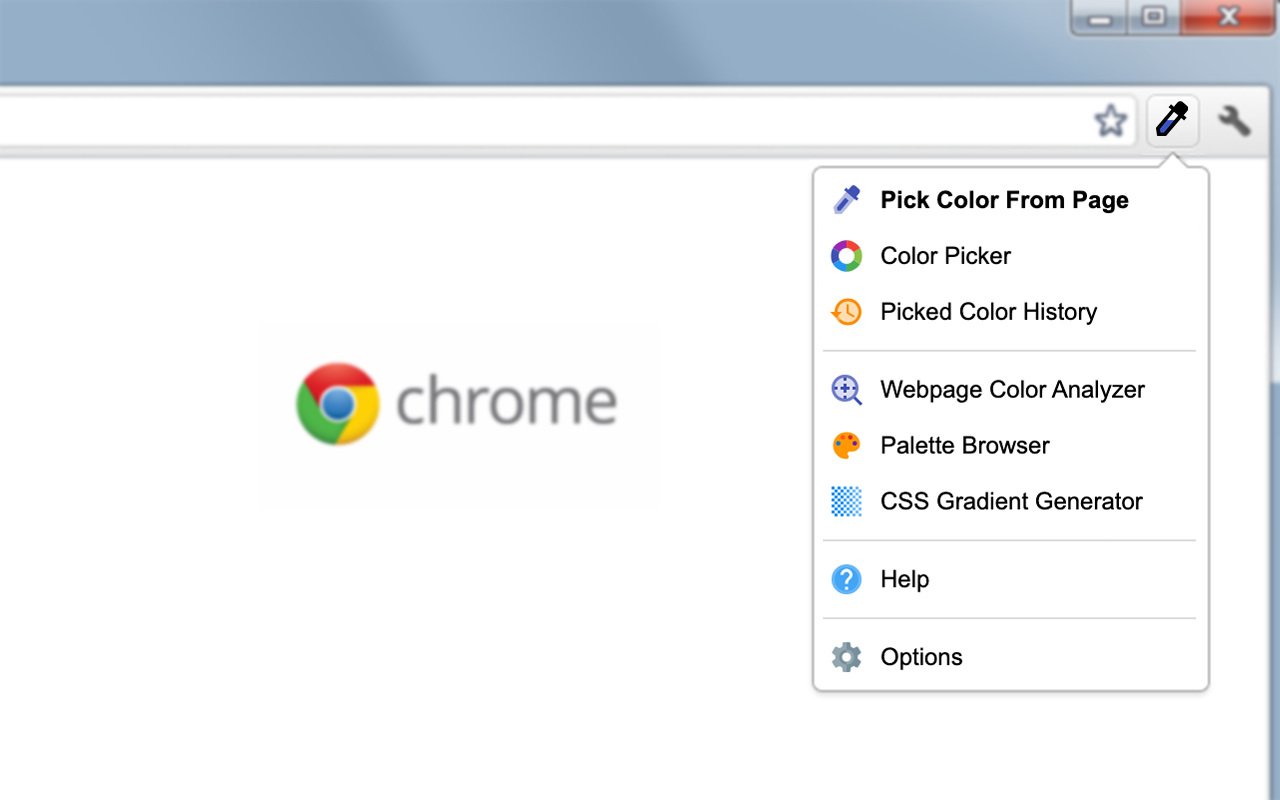
Why I love it: It’s an eyedropper tool that lets me steal any hex color code from a website.
- Key Feature: Advanced eyedropper and CSS gradient generator.
- Key Advantages: Palette browser and color history are extremely helpful. Supports multiple formats (HEX, RGB, etc.).
- Key Disadvantages: Interface looks a bit dated compared to newer tools.
- Paid or Free: Free.
- Stats: 4.6/5 rating | 3M+ users | v4.1.
- Best for: Graphic designers and web developers.
- Platform: Extension (Chrome, Firefox).
- Alternatives: Eye Dropper, ColorPick Eyedropper,Built‑in DevTools color pickers, desktop design tools.
- link: Chrome Extension
13. Clear Cache
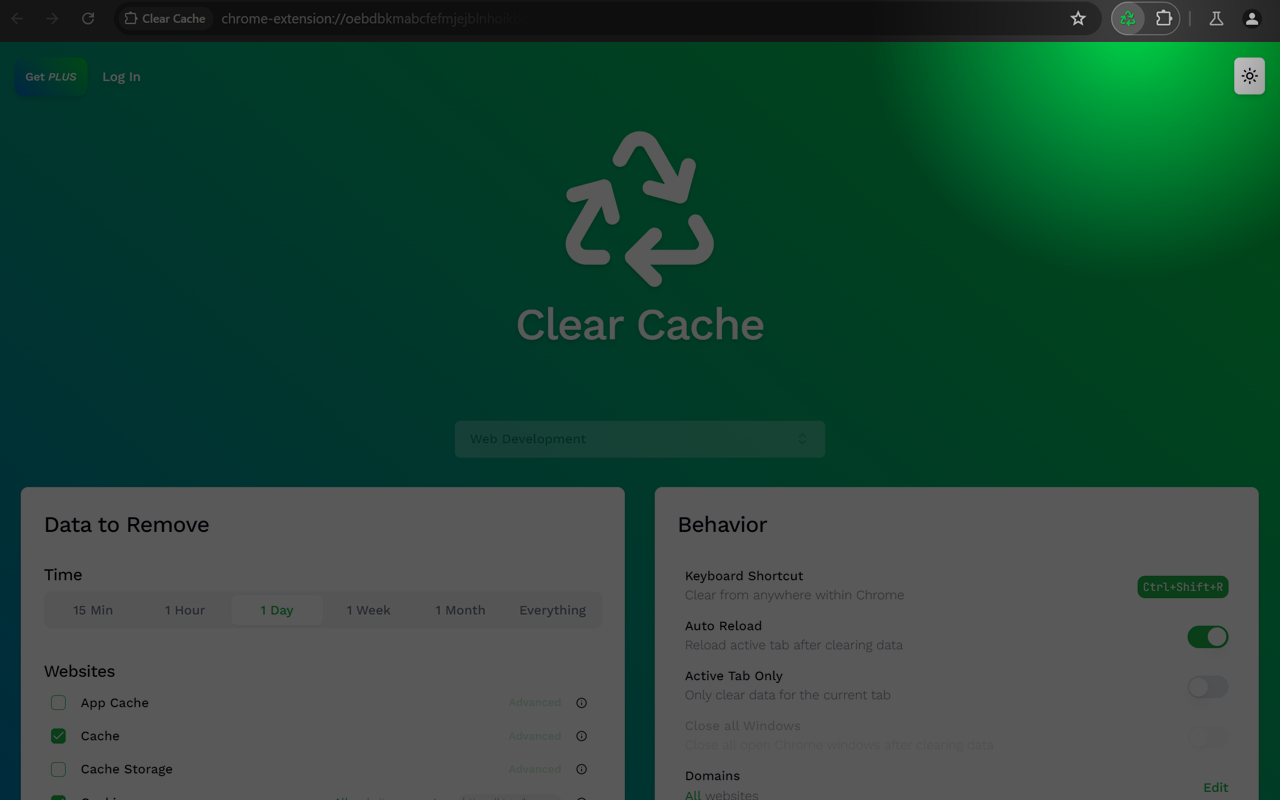
Why I love it: It fixes “weird” website bugs by clearing my cache with a single click — no settings menu needed.
- Key Feature: One-click data clearing from the toolbar. Toolbar button to run without opening settings.
- Key Advantages: Highly customizable (choose to clear history, cookies, or just cache).
- Key Disadvantages: If you clear cookies accidentally, you’ll be logged out of everything.
- Paid or Free: Free.
- Stats: 4.9/5 rating | 800K+ users | v1.7.0.
- Best for: Developers and anyone troubleshooting slow sites. Frontend debugging and cache‑sensitive UI work.
- Platform: Extension.
- Alternatives: Click&Clean, Chrome DevTools Application tab, built‑in “Clear browsing data”.
- link: Chrome Extension
14. Awesome Screen Recorder & Screenshot
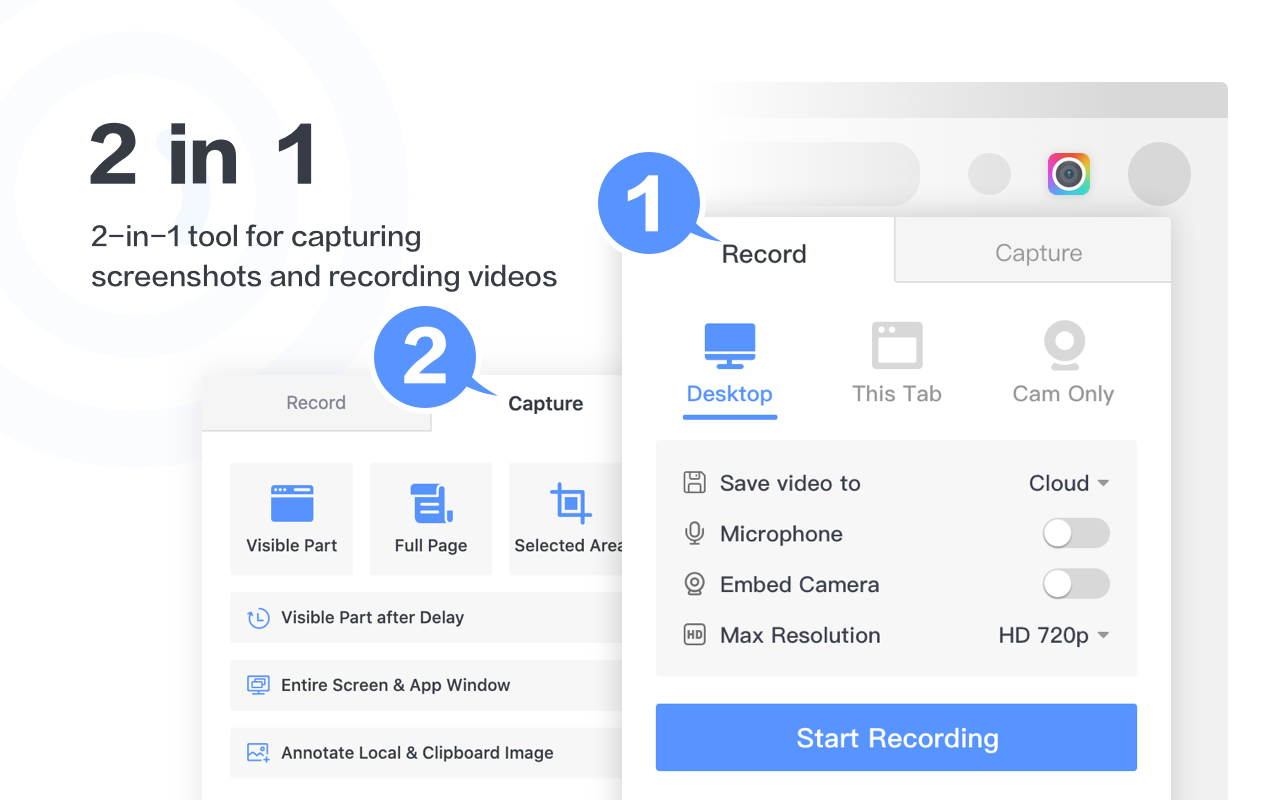
Why I love it: It’s a 2-in-1 tool for high-quality video recording and scrolling screenshots.
- Key Feature: Records screen + webcam with internal audio.
- Key Advantages: Local or cloud saving; no watermark on free version. No need to install a heavy desktop recorder.
- Key Disadvantages: Cloud storage is limited for free users.
- Paid or Free: Free (Premium for unlimited storage/4K).
- Current Pro Pricing: ~$6/mo.
- Stats: 4.6/5 rating | 4M+ users | Updated Oct 2025.
- Best for: Creating tutorials and team collaboration. Developers and PMs explaining bugs or new features.
- Platform: Extension, Windows app.
- Alternatives: Loom, Screencastify, OBS Studio.
- link: Chrome Extension
15. Adobe Photoshop (Extension)
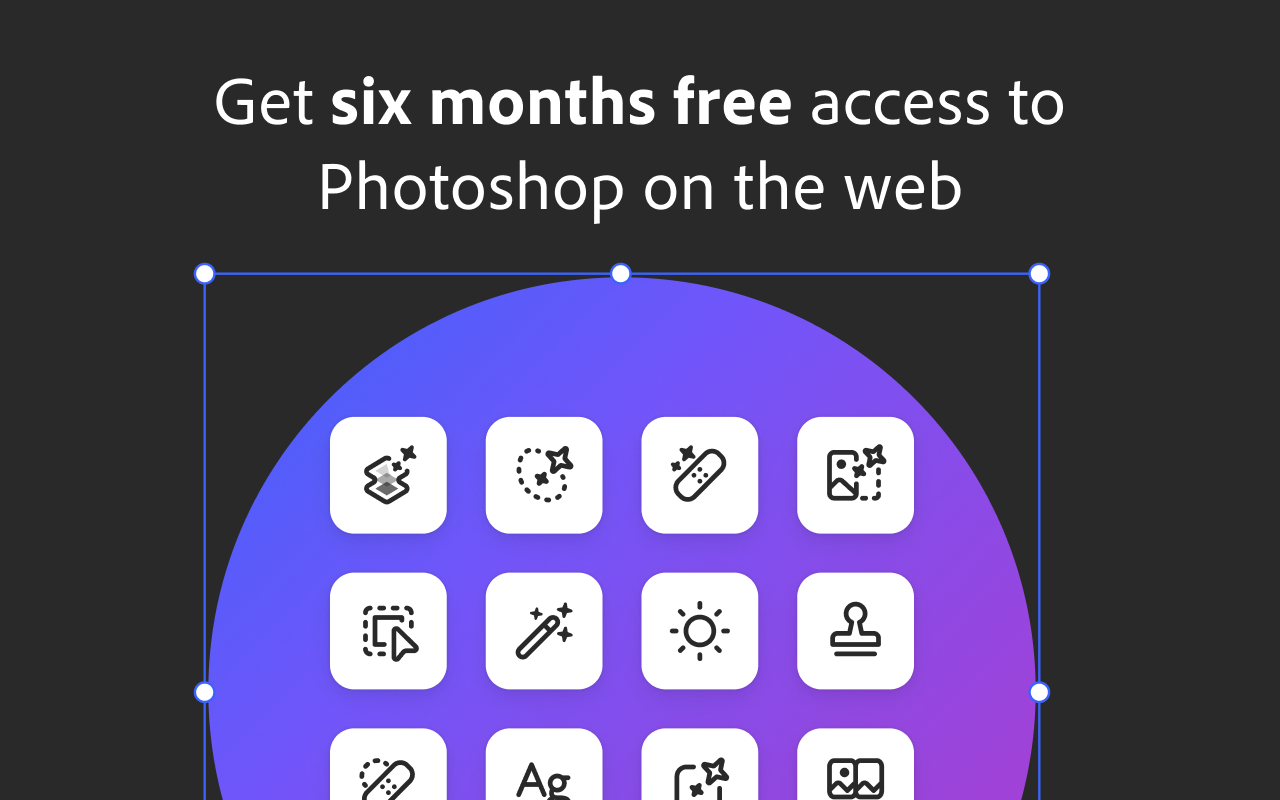
Why I love it: Quick edits without opening the heavy desktop app.
- Key Feature: Browser-based image editing and PSD file viewing.
- Key Advantages: Integrated generative AI (Firefly) for quick fills.Trusted brand
- Key Disadvantages: Requires a Creative Cloud subscription for full power.
- Paid or Free: Trial/Free (Requires Adobe ID; Paid for Pro).
- Current Pro Pricing: $22.99/mo (Photoshop plan).
- Stats: 3.7/5 rating | 500K+ users | v1.0.13.
- Best for: Professional editors on the go.
- Platform: Extension, Mac, Windows, Web.
- Alternatives: Photopea (Free), Canva, Photopea, Figma, GIMP, Affinity Photo,Pixlr.
- link: Chrome Extension
16. Adblock Plus — free ad blocker
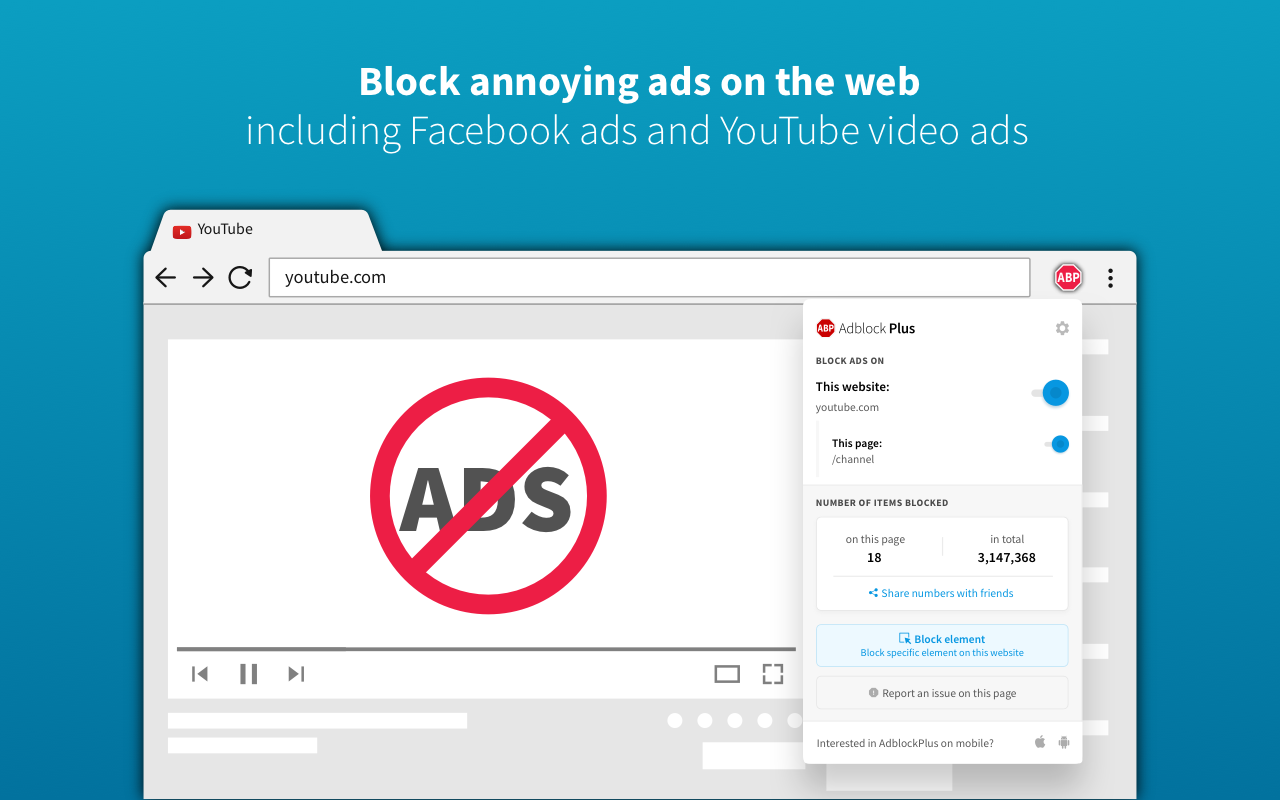
Why I love it: It makes the internet usable again by removing intrusive pop-ups and video ads.
- Key Feature: Automatic blocking of banners and YouTube ads.
- Key Advantages: Customizable “Acceptable Ads” and easy whitelisting.
- Key Disadvantages: Some sites can detect it and block your access.
- Paid or Free: Free (Premium available for extra features).
- Stats: 4.4/5 rating | 50M+ active users | v4.32.3.
- Best for: Everyone who hates ads.
- Platform: Extension (All browsers), Android.
- Alternatives: uBlock Origin, AdGuard.
- link: Chrome Extension
17. Ad Blocker: Stands AdBlocker
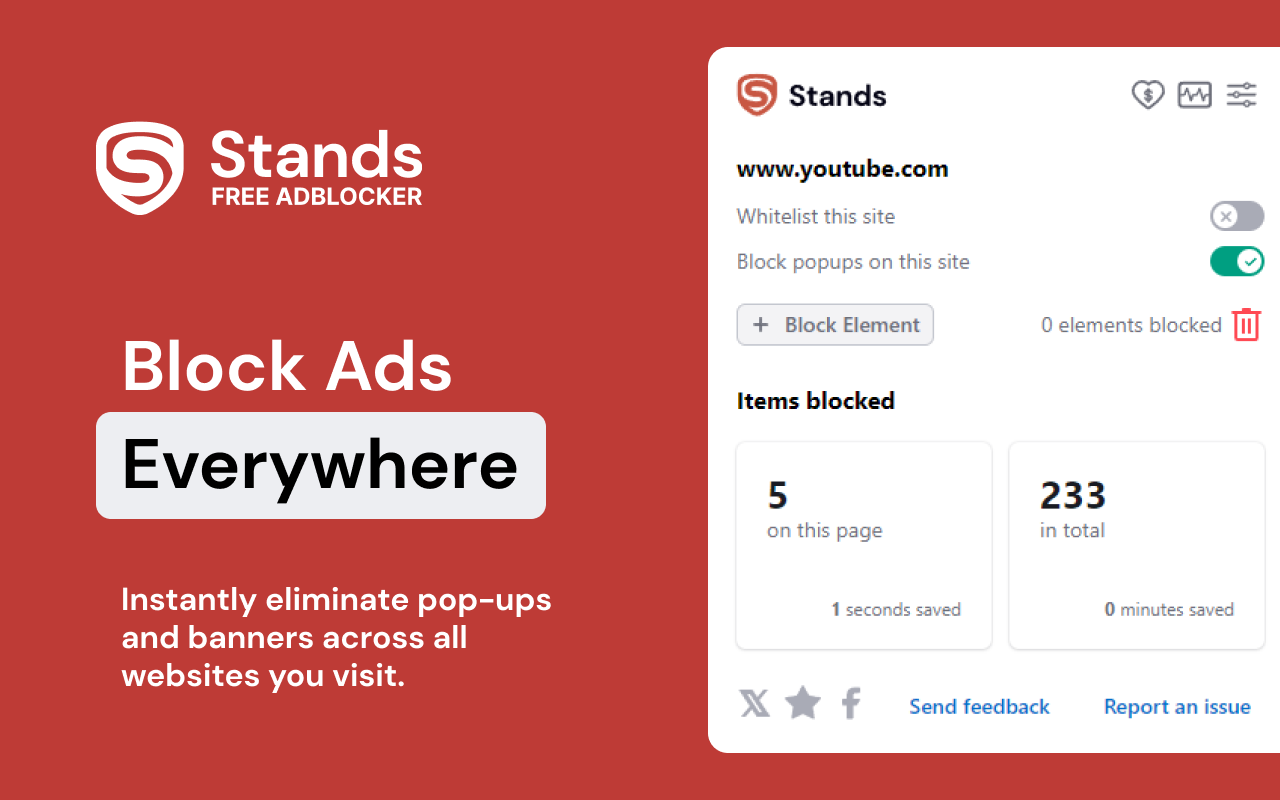
Why I love it: It’s incredibly lightweight and blocks those annoying “Accept Cookies” pop-ups.
- Key Feature: Blocks malware and third-party trackers alongside ads.
- Key Advantages: Focuses on privacy and doesn’t slow down the browser.
- Key Disadvantages: Less aggressive filtering than uBlock Origin.
- Paid or Free: Completely Free (Donation based).
- Stats: 4.8/5 rating | 3M+ users | v2.1.61.
- Best for: Privacy seekers and users wanting a lightweight experience.
- Platform: Extension.
- Alternatives: Ghostery, Adblock Plus, uBlock Origin, Privacy Badger, Brave.
- link: Chrome Extension
These are the extensions that currently live on the main Chrome profile and genuinely help every day, especially for development, learning, and content consumption.
What is your favorite Chrome extension right now, and why do you love it?Drop it in the comments — I might include it in my next blog 😄

No comments:
Post a Comment