This is my personal collection of daily lessons, professional insights, and programming experiences. It’s a space where I document what I learn, and you can explore and learn from my journey too.
ভুল ব্রাঞ্চে কমিট? অর্ধেক কাজ করা কোড নিয়ে ব্রাঞ্চ চেঞ্জ করতে বিপদ? চিন্তা নেই — সমাধান আছে !
ডেভেলপার হিসেবে আমরা প্রায়ই এমন পরিস্থিতিতে পড়ি যেখানে কাজ অর্ধেক শেষ হয়েছে, কিন্তু হঠাৎ অন্য কোনো ইমার্জেন্সি ফিচারে কাজ করতে হচ্ছে। অথবা এমন হয় যে, অন্য একটি ব্রাঞ্চের মাত্র একটি নির্দিষ্ট কমিট আমার বর্তমান ব্রাঞ্চে দরকার। এই সমস্যাগুলোর সমাধান নিয়ে আজকে আমাদের এই ব্লগ।
আগে যখন আমরা এই টুলগুলো জানতাম না, তখন কী করতাম?
অর্ধেক কোড নিয়ে ঝামেলা: ধরুন, আপনি একটি ফিচারে কাজ করছেন কিন্তু সেটি এখনও শেষ হয়নি। এখন ইমার্জেন্সি একটা বাগ ফিক্স করতে হবে। আপনি যদি এখন কোডটি ‘Commit’ করেন, তাহলে একটি ইনকমপ্লিট বা ব্রোকেন কোড হিস্ট্রিতে থেকে যাবে। আর যদি ‘Commit’ না করেন, তবে ব্রাঞ্চ সুইচ করা যাবে না।
ম্যানুয়াল কপি-পেস্ট: অন্য ব্রাঞ্চ থেকে একটি নির্দিষ্ট কোড চেঞ্জ আনতে আমরা ম্যানুয়ালি ফাইল কপি করে আনতাম, যা ভুল হওয়ার সম্ভাবনা বাড়িয়ে দিত এবং সময় নষ্ট করত।
I love my Motorola Edge 60 Stylus, but something was missing. The stock launcher felt… fine. Just fine. I craved the clean, buttery-smooth experience my friends raved about on their Google Pixel phones.
আমরা যখন C প্রোগ্রামিং করি, অনেক সময় একই ধরনের কাজ বারবার করতে হয়। যদি এই সব কাজ সরাসরি main() ফাংশনের ভেতরেই লিখি, তাহলে কোড অনেক বড়, জটিল এবং পড়তে অসুবিধা হয়।
এই সমস্যার সমাধান হলো Function ব্যবহার করা।
Function ব্যবহার করলে—
কোড পরিষ্কার ও ছোট থাকে
বারবার একই কোড লেখার প্রয়োজন হয় না
প্রোগ্রাম বুঝতে ও মেইনটেইন করতে সহজ হয়
C প্রোগ্রামিং-এ Function সাধারণত ৪ ধরনের হয়ে থাকে:
Google Chrome extensions are an essential part of my daily workflow. From productivity to security, design to development — the right extensions can save hours and make life easier.
In this blog, I’m sharing my top favorite Chrome extensions with details like why I love them, key features, pros & cons, pricing, best use cases, and alternatives.
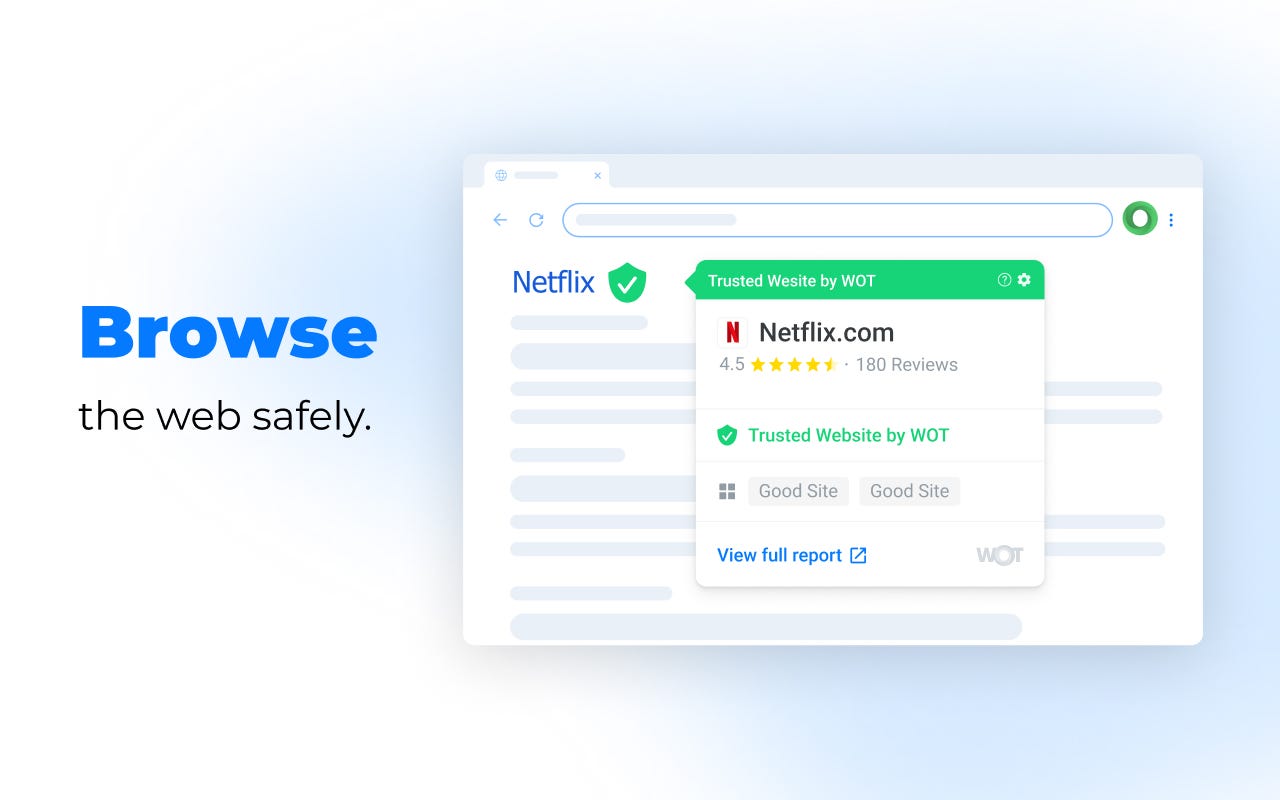
1. WOT: Website Security & Safety Checker
Why I love it: It acts like a digital bodyguard, warning me about sketchy sites before I even click.
Key Feature: Real-time reputation ratings based on a global community.
Key Advantages: Anti-phishing alerts and data breach monitoring. Great for online shopping & unknown sites
Key Disadvantages: Community ratings can be biased,Reputation can lag behind for very new or niche sites.
Paid or Free: Free (Pro version available).
Current Pro Pricing: ~$4.99/mo (variable by region).
Stats: 4.4/5 rating | 2M+ users | v5.9.1.
Best for: Safety-conscious shoppers and general users. specially developers downloading libraries or tools.
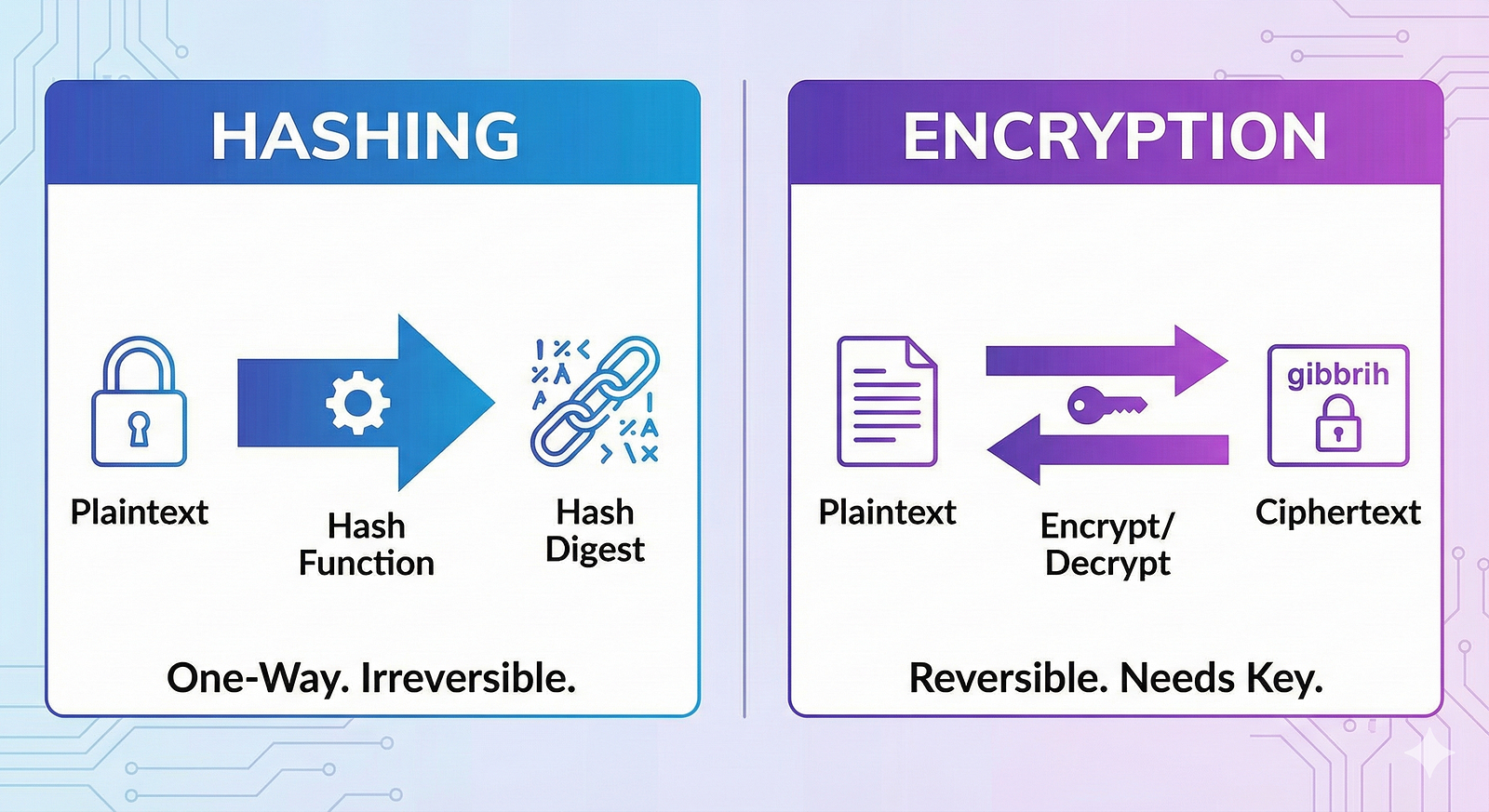
ডাটা নিয়ে কাজ করতে গেলে এবং তার সুরক্ষা নিশ্চিত করতে হলে আমরা প্রায়ই দুটি শব্দ শুনি — Hash এবং Encryption। অনেকেই এই দুই ধারণা একসঙ্গে মিশিয়ে ফেলেন। আজকে দেখব, এদের মধ্যে আসলে পার্থক্য কোথায় এবং কখন কোনটি ব্যবহার করা উচিত।
The three fundamental types of Dependency Injection (DI) in Kotlin and Java are:
Constructor Injection
Field (or Property) Injection
Method (or Setter) Injection
Each type of DI handles injecting dependencies into a class in different ways. Let's explore these in detail:
1. Constructor Injection
With constructor injection, the dependencies are passed through a class constructor. This is the most common and preferred form of dependency injection because it makes the class more explicit and easier to test. The dependencies are required at the time of object creation.
Dependency Injection (DI) is a software design pattern that promotes loose coupling between classes by passing dependencies (objects that a class needs to function) into the class rather than having the class create them itself. This makes code more modular, testable, and maintainable.
If you’re developing an Android app on a Xiaomi device and encounter the error INSTALL_FAILED_USER_RESTRICTED, it usually means that the system isn’t allowing installations from USB for development. This most often happens if you accidentally pressed “Deny” the first time the “Install via USB” permission prompt appeared.
Here’s how to fix it.
Step-by-Step Solution
1. Enable Developer Options
Go to Settings → About phone.
Tap MIUI version repeatedly until you see a message saying “You’re now a developer!”